Problem
Site visitors searching for articles find it “extremely time-consuming” and “overwhelming” to locate relevant resources on the Journal of User Experience (JUX) website.
Research
From our research we found website struggles in a number of ways including, the structure and hierarchy of content, labeling of navigational items, lack of features to aid retrieval of information, intuitive search paths and tools, and the lack of features to keep readers up to date on new publications. While qualitative data was gathered, our team relied primarily on quantitative research to understand the taxonomy expected by the target audience as well as observe the information seeking behaviour when using the website.
- Card Sorting

Similarity Matrix
Reveals card pairings, indicating relationships

Dendogram
Visualizes hierarchical clustering relationships
Unbiased Insights: Participants categorized content organically, generating 48 categories collectively. 30% of participants created a median of 4 categories each, indicating a diverse range of perspectives.
Reveals User Mental Models: Insights gained from the card sort helped refine the JUX website’s information architecture, reflecting users’ mental models and enhancing user experience.
Diverse Perspectives: Users’ prior knowledge influenced category breadth, unveiling nuances in UX terminology understanding. Consistent content groupings emerged, informing the website’s information architecture.
10+
Experts Participated
48+
Categories Created
4m 55s
Average Time on Task
- Tree Test
Tree Test Evaluation: Utilized tasks derived from user needs identified in a content inventory and card sort to assess the website’s information architecture.

Success Rate Improvement: Initial study with 8 participants showed a 44% success rate in the second task. After implementing a revised structure and reworded content, success rate increased significantly from 44% to 90% in the second study.

Suppose you are completing a scholarly research piece – find research about inclusive and universal design.
Anticipated path: Home-> Articles-> Articles by Topic-> Accessibility 
Suppose you are a professor who has written a research paper. Where would you look to find guidelines about publishing your research?
Anticipated path: Home-> Call for Papers-> Criteria for Submitting a Paper

20+
Designers Participated
90%
Success Rate after Iteration
2m 13s
Media Time for 3 Tasks completed

Metadata
Revising metadata to enable more efficient browsing via the search bar.
Site Hierarchy
Restructuring site hierarchy based on user preferences observed in the card sort.
Content Accessibility
Enhancing content accessibility and navigation for improved user experience.
Site Search
Improving search functionality to accommodate user information-seeking behaviours.
Navigation
Enhancing navigation features like drop-down and footer menus for better usability.
Information Architecture
After understanding the research insights, the team began restructuring the Information Architecture and Sitemap of the site.

Design Consolidation
Once the team had a basic idea of what the main homepage should look like, we implemented the same design principles and guidelines to Tier 2 pages.

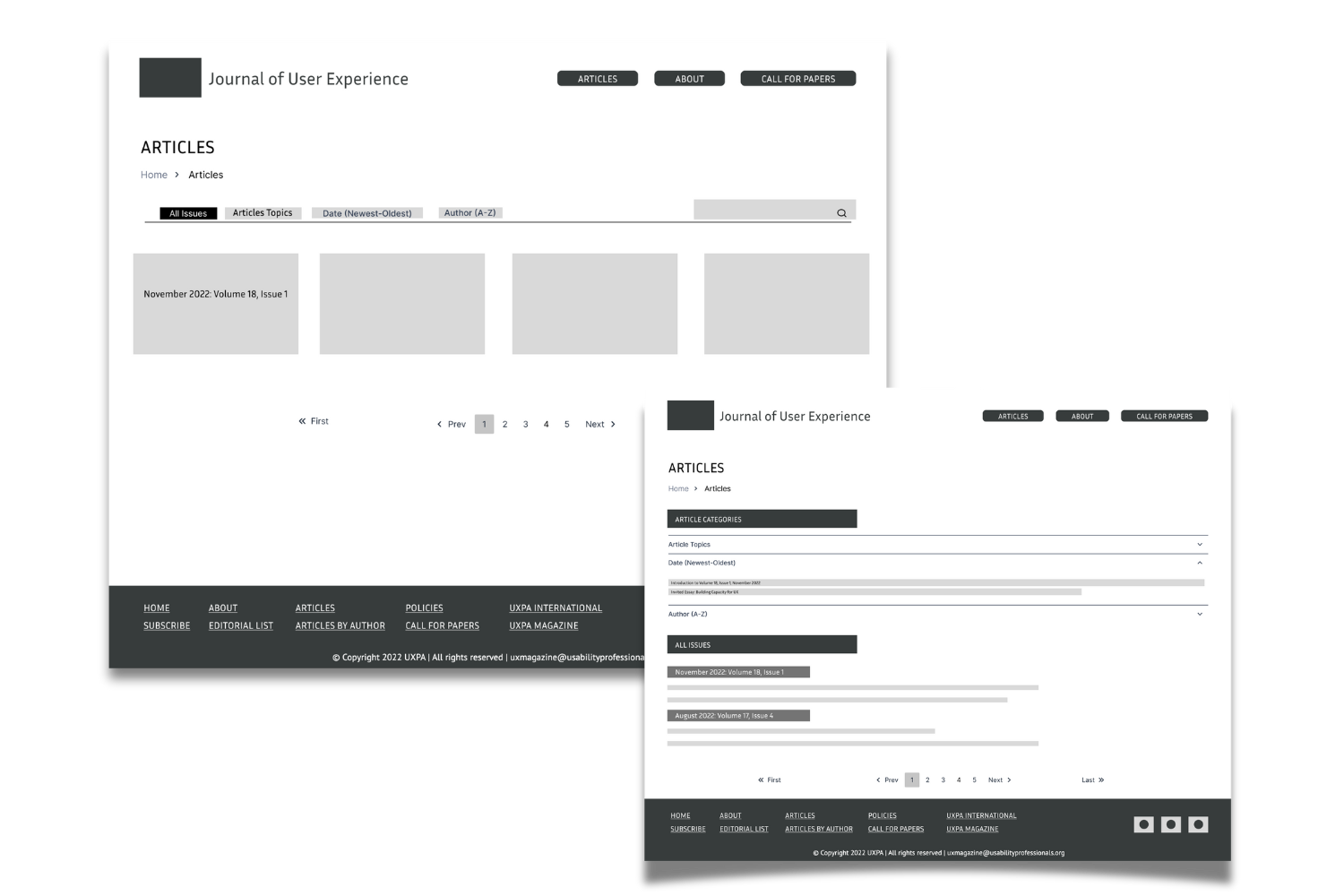
Homepage Wireframes
Using the reorganized information architecture, the team began creating basic wireframes gradually adding details to them.
Final Deliverable
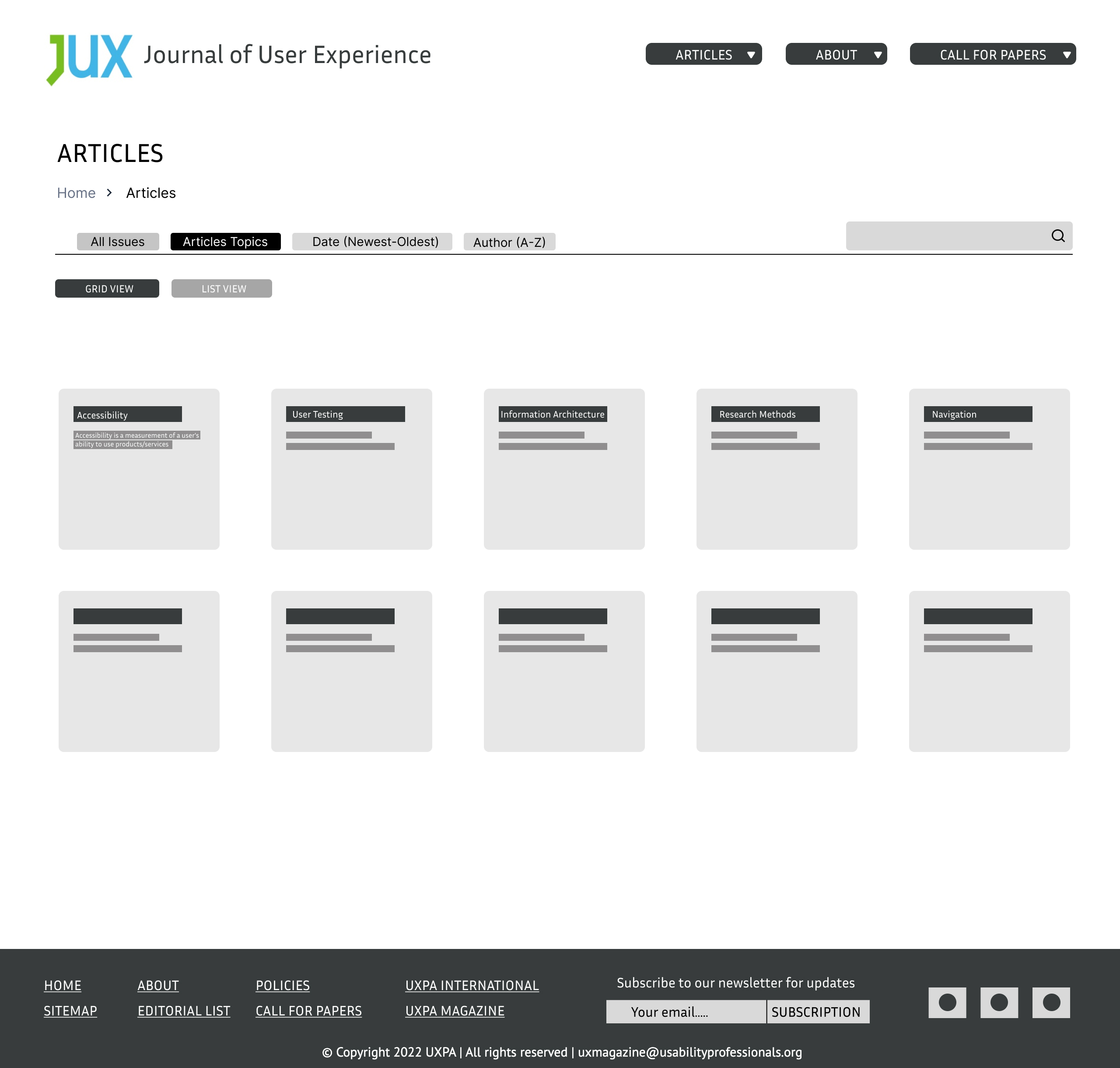
Meeting client’s expectations, the final deliverable were interactive wireframes accompanied by a research report




Usability Testing
Key Tasks
Navigate the interactive map to discover and gather insights on diverse conservation initiatives in Southern Ontario, understanding strategies and techniques for sustainability and environmental protection.
Craft a well-researched discussion post on project challenges, connecting with fellow conservationists online to explore potential solutions, gain meaningful insights, and identify innovative approaches for informed decision-making.
Research and locate specific tool information within a report, gaining a comprehensive understanding of its application. This task informs decision-making, project planning, and ensures the selection of appropriate tools for the project.
Submit a formal update request for an outdated case study, addressing the author or publisher. The goal is to bring awareness to newer, relevant information, ensuring the case study reflects the most accurate and up-to-date insights for informed decision-making.
Identify crucial information within a case study, effortlessly save it for future retrieval using the platform’s bookmarking functionality and folders. Streamlining access ensures quick retrieval without time-consuming searches.